Pre-Match Prep: Using Veto Analyzer
 Xavier
Veto Analyzer helps you prepare for upcoming matches by giving you a detailed breakdown of your opponent's map tendencies. It analyzes recent results, veto patterns, and play frequency to show which maps your opponents favor or avoid. It also calculates how likely a team is to pick or ban a map based on their past behavior, consolidated into the single metric we call PreferenceScore.
Using CounterScout, you can load enemy team data, review recent matches and roster activity, and explore their map-by-map performance in the Veto Analyzer tab. With this information, you can predict veto outcomes, identify weaknesses in the enemy map pool, and develop a smarter veto strategy; giving you a strategic edge before the first round even begins.
Load an Enemy Team
To load a team into Veto Analyzer, use CounterScout, available on your dashboard and as a standalone page. On your dashboard, CounterScout automatically loads your upcoming Faceit matches and displays any recent scouts.
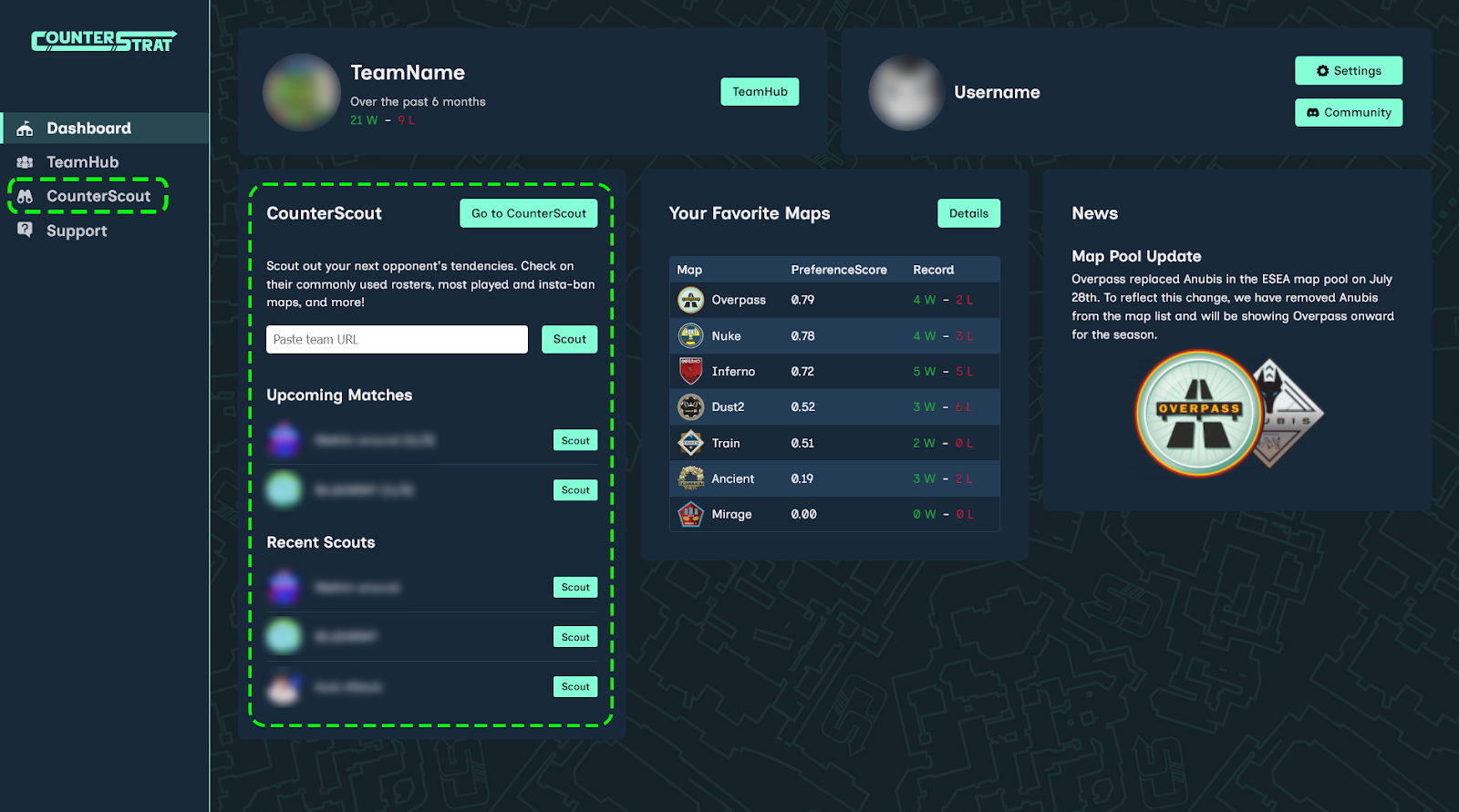
To scout a team, click “Scout” or manually enter the team’s Faceit URL, for example:
https://www.faceit.com/en/teams/<teamid>
Make sure the URL does not include trailing segments such as /league or a
trailing slash.
Overview Tab
After selecting a team from CounterScout, you will be navigated to the overview page. The Recent Matches table displays up to five of the team's most recent matches, including ESEA league matches and any 5v5 tournament matches hosted on Faceit. It counts any 5v5 play where the team is officially registered, such ESEA league and 5v5 tournaments, while excluding pugs and other formats such as wingman.
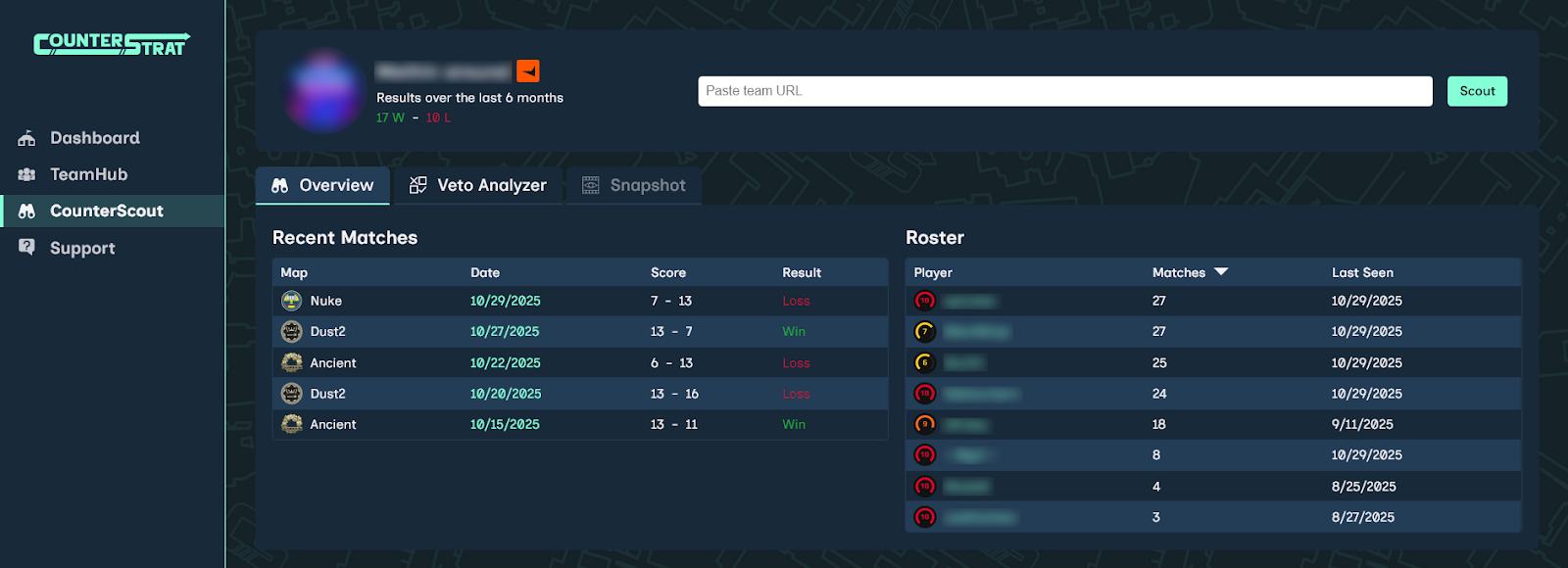
Click on the date to view the match page directly on Faceit. The roster table consists of any roster member who has participated in a match, highlighting how many matches they have participated in and how recently. In many cases, a team will have more than five players listed on their team, so use this information to gauge who is most active.
Veto Analyzer
Clicking on the Veto Analyzer tab takes you to a detailed view of the team’s veto preferences and their map-by-map performance. The map list on the left breaks down the team’s record for each map; showing:
- Number of wins and losses
- Number of picks (green check) and bans (red cross)
- Note: In a BO1, each team bans three times and never picks. In a BO3, each team bans twice and picks once.
- The team's PreferenceScore (represented by the "S" icon)
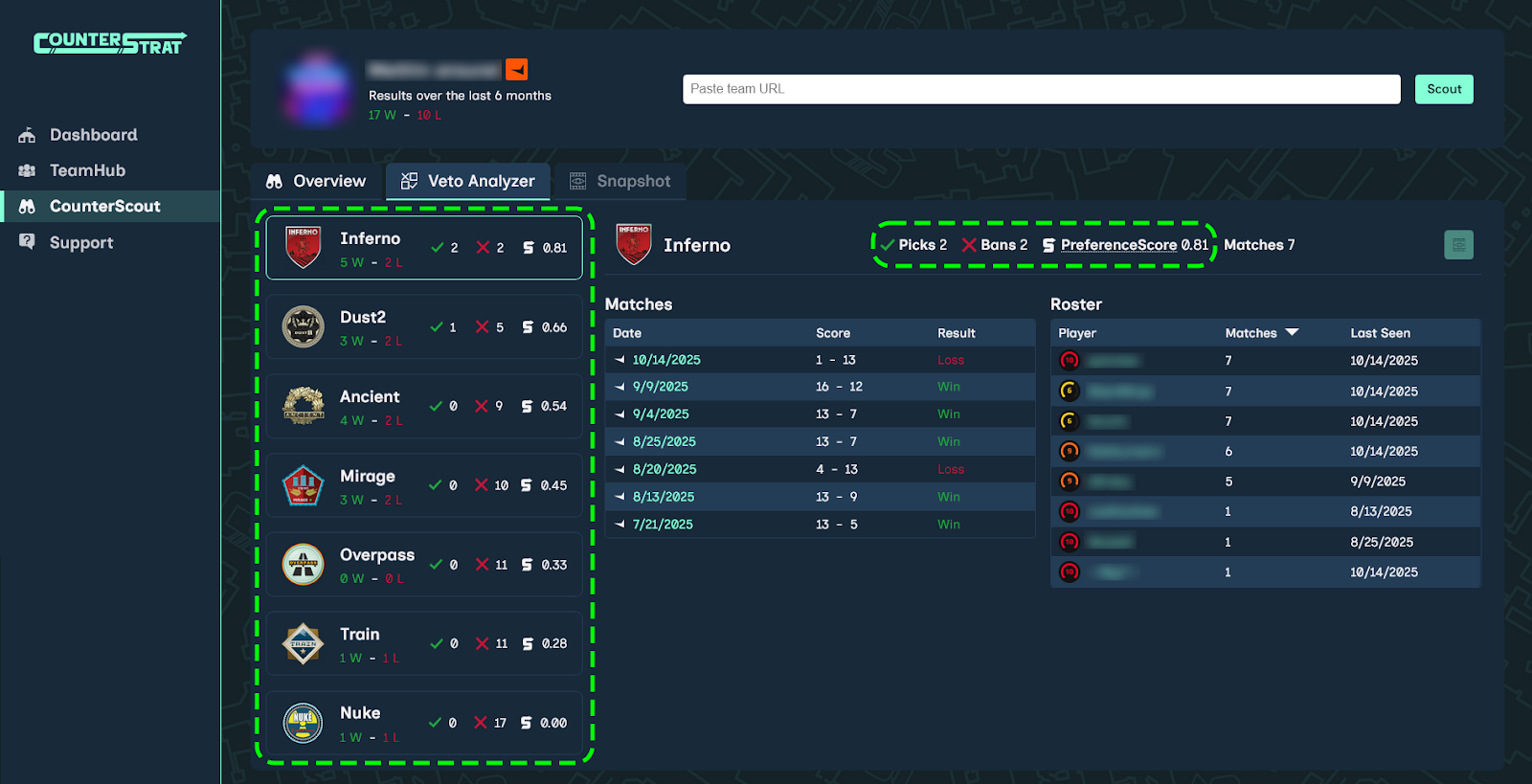
The maps are ordered by their PreferenceScore, which is a metric CounterStrat automatically calculates to quantify how much a team “prefers” a map, and thus, how likely they are to try to play it against you. This value is calculated based on a team’s veto history and recency, and even considers the enemy team's veto pattern that led to the map being played. By default, Veto Analyzer will select the team's most preferred map, which will appear at the top of the list.
Predicting a Veto
Let’s predict a bo1 veto against Team2, from the perspective of Team1. Each team’s map preferences can be seen below their name. Team1 has strong preferences towards Nuke, Overpass, and Inferno, while Team2 likes Mirage, Ancient, and Nuke.
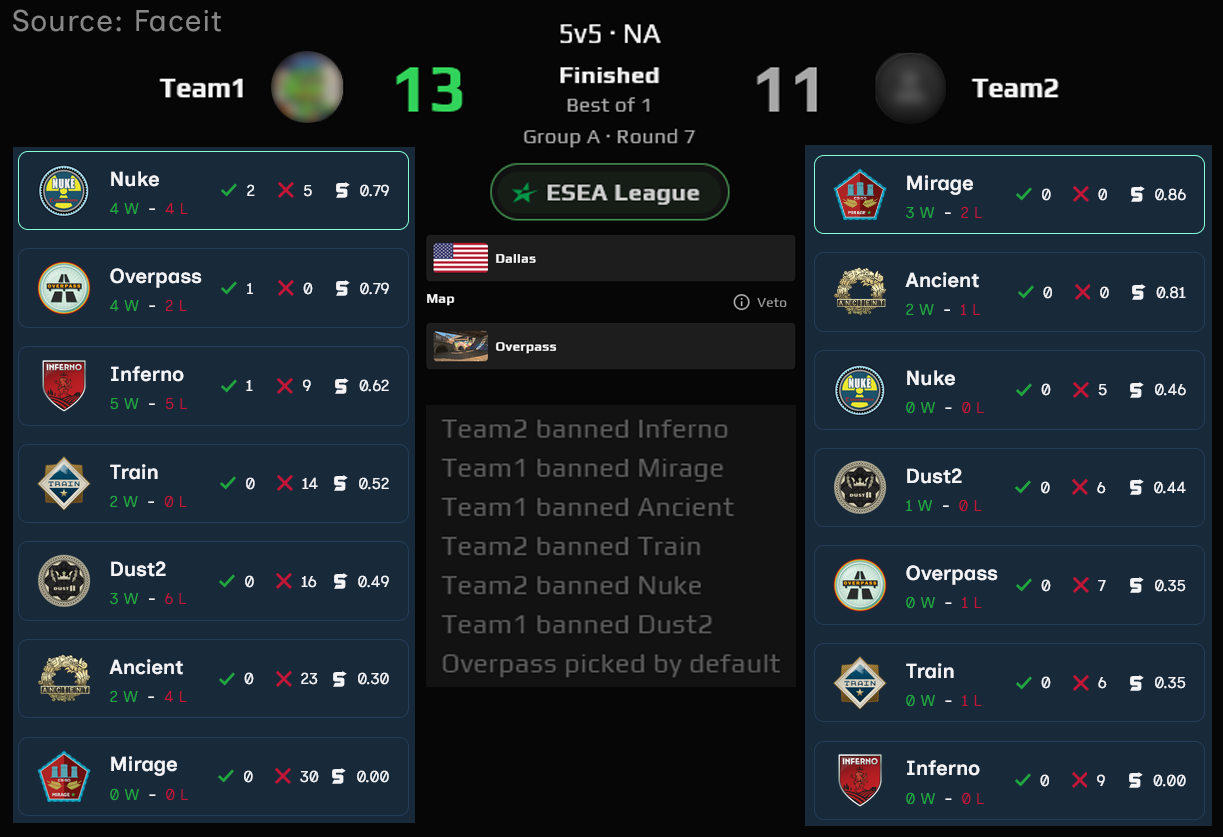
While both teams like Nuke, Overpass is an even more favorable map for Team1, as it is disliked by Team2. So, Team1 gets to pick who vetos first, and they let Team2 start:
- Team2 bans Inferno. This makes sense, as it is Team2’s least preferred map.
- Team1 gets to ban two maps: Mirage and Ancient; their bottom two maps.
- This leaves four maps: Train, Nuke, Dust, and Overpass.
- Team2 bans Train and Nuke. While Train is expected, Nuke is a bit surprising.
- Team2 may have seen that Team1 prefers Nuke very strongly, or may have been trying to get a Dust match, as Team1 has a poor record on it.
- With Dust and Overpass left over, Team1 is able to ban Dust; leaving Overpass as the map.
Using the veto preference data, you may not always predict the exact map you will play. However, as you see with the above example, you can narrow down the maps you will and will not see. Instead of preparing for any map you do not ban, you can also anticipate what maps the enemy team will ban, reducing the map pool you have to analyze even further. With the insights from CounterStrat, you can confidently develop a gameplan ahead of time, giving your team an advantage in every match you play.
Counter Your Opponents